

Description
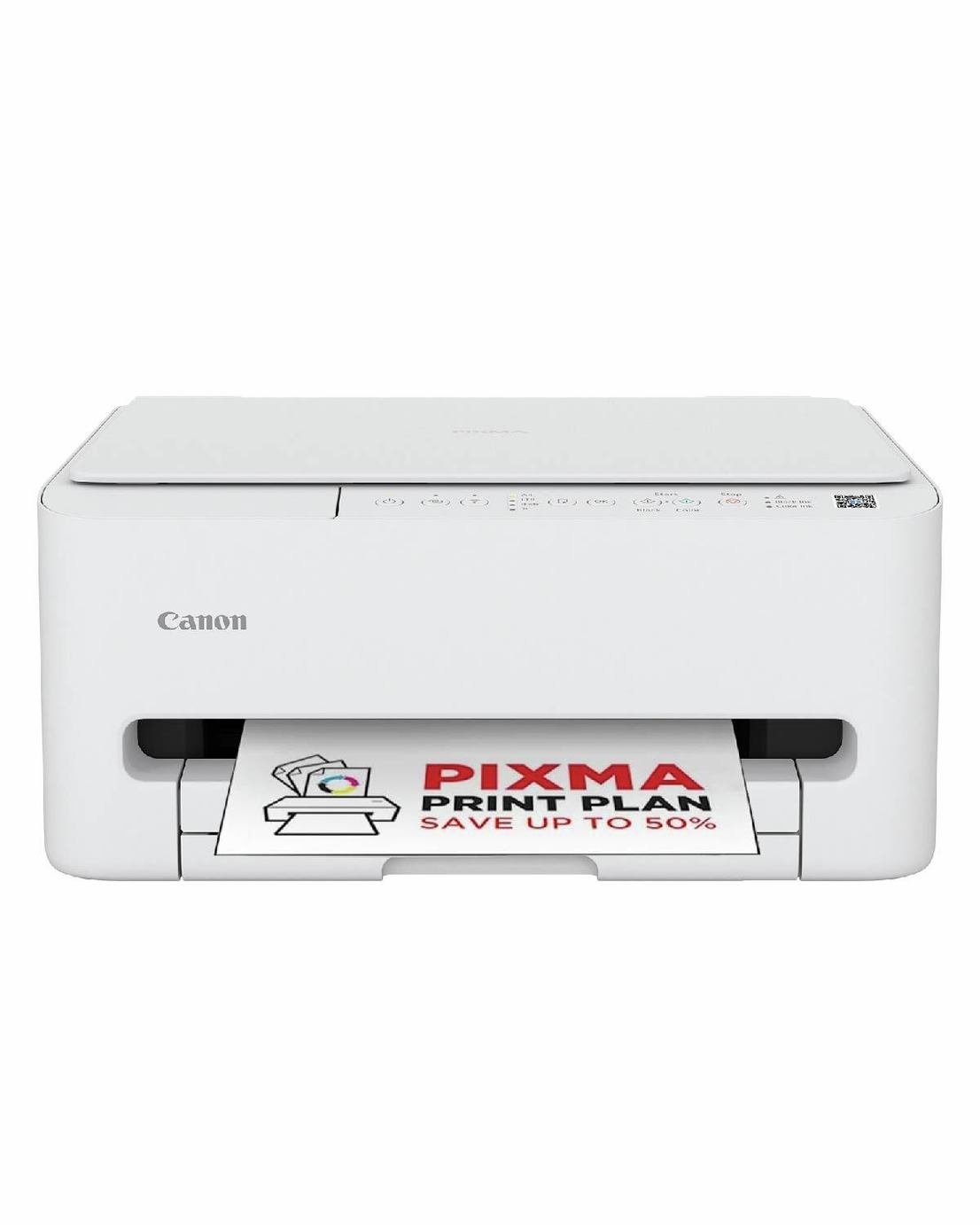
High-quality documents and stunning photos at speed straight from your smartphone. With a sleek, compact design and a smaller footprint, the PIXMA TS4150i multifunction printer fits effortlessly into any space. . PIXMA Print Plan – Never run out of ink again and keep tabs on your printing costs with our smart subscription service, which automatically dispatches a new cartridge when you’re running low. . FINE Cartridges – Experience clearer prints that are easier to read with intelligent dot placement and ink optimisation, delivered by our FINE cartridge system and new pigment black ink – perfect for home printing. Printer: A4 print speed – black text: 14ppm (pages per minute).; A4 print speed – colour text: 9ppm (pages per minute).; Up to 1200 x 1200dpi print resolution.; Up to 1200 x 1200dpi colour print resolution.; Fits paper up to A4.; Prints on paper up to 265gsm.; Automatic duplex (double sided) printing.; Borderless printing.; 100 sheet paper capacity.; Uses 2 ink cartridges.; Recommended ink: PG-595, CL-586, PG-595XL, CL-586XL.; Scanner and copier: 1200 x 2400dpi optical resolution.; Fits paper up to A4.; Flat bed scanner.; Connectivity: Suitable for photo printing.; Memory Stick (MS), .; PictBridge – print images directly from a digital camera.; USB port.; Wireless/WiFi enabled.; Apple AirPrint – depending on device, please check your manufacturer’s settings.; Google Cloud Print.; Email Print.; Mobile print enables printing directly from your smartphone or tablet through brand specific apps.; Compatible app: Canon PRINT App.; Bluetooth wireless technology enabled .; General information: Minimum Mac operating system required: macOS 12 to 15.; Minimum Windows operating system required: Windows 7, 8, 10, 11.; 3.6cm display.; Photo editing software included.; Weight 5.2kg.; Includes PG-595 x 1, CL-586 x 1.; Ink cartridge included.; Size H16.8, W37.4, D35.5cm.; Manufacturer’s 2 year guarantee.; EAN: 4549292249583.



Anonymous –
Positives: A good buy for the price and very easy to connect to Wi-Fi and set up online instead of reading through a paper manual.
Negatives: A little bulky in comparison to my previous Canon PIXMA printer. No changes to the sound as still a little loud and could be sleeker.
Anonymous –
Another new plastic construction from Canon. Easy to use but fiddly paper tray and output tray
Not as good as previous 5250 printer.
Anonymous –
Ink is a bit expensive, but printer works well and easy to set up. Double sided printing is automatic
Anonymous –
Set up was not easy on Mac but worked well on iPhone. It says it supports custom sizes but is not easy to set up.
Anonymous –
It was fairly easy to install and get working (I am not an expert with IT). I was impressed by the versatility and the quality of the printing. Time will tell for the reliability.
Anonymous –
Great little printer, easy to set up and extremely easy to use with the mobile app, decent print quality for the price and although not the fastest printer in the world it’s fine for small print jobs which is what I want it for. Really neat and compact also which means it sits on a bookshelf nicely. Great value too!
Anonymous –
I purchased this about a month ago because it was very reasonably priced. So far, I am more than happy. It was very easy to set up with wi-fi connectivity. The print quality is good and the printing is fast. I haven’t yet used the scanner.
Anonymous –
I brought this a couple of weeks ago I’m so pleased with my purchase so simple to use and set up
Anonymous –
This is a reasonably priced, feature-rich entry level printer. I am very satisfied with it.
Anonymous –
Purchased to replace a similar model. It does what it says on th tin and exactly what I need it for.