
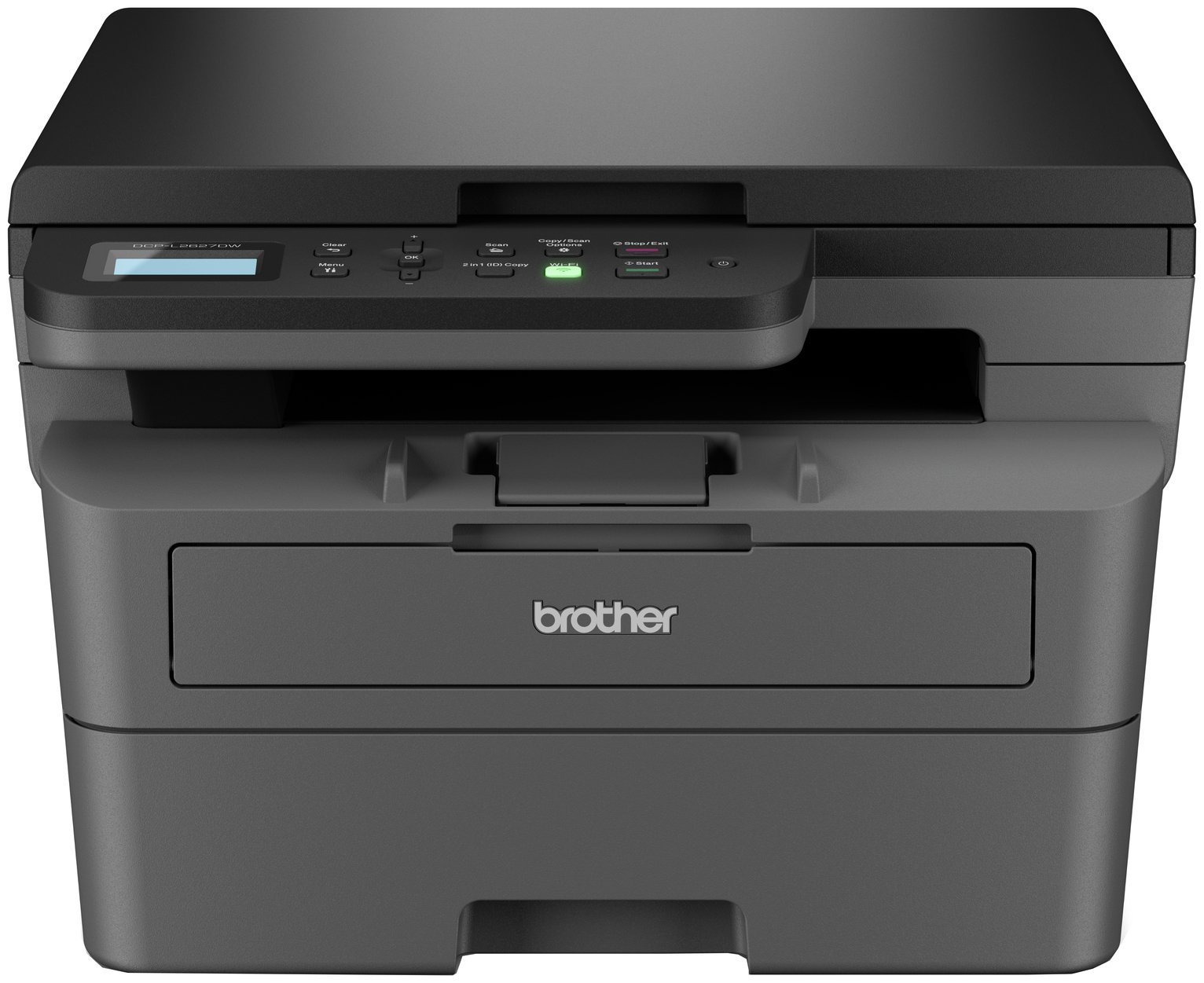

Description
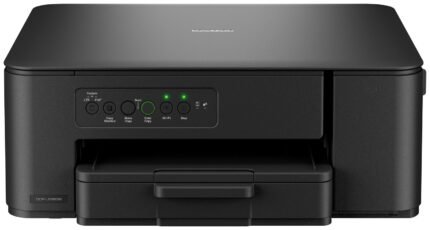
Your efficient 3-in-1 mono laser printer. Hosting a range of efficiency-boosting features, this 3-in-1 mono laser printer saves you time with fast flawless printing and scan, automatic 2-sided print, and a generous paper tray capacity. Hassle-free print subscription. With our new EcoPro subscription service from only £2.99 a month, Brother genuine supplies are automatically ordered from your printer when you are running low and delivered straight to your door. So, you’ll never run out of ink again. . Work smarter from anywhere at home or in the office with the easily connected Brother DCP-L2627DWE. . You can sign up to Brother EcoPro subscription plan and enjoy toner supplies delivered automatically with free postage direct to your doorstep. Benefit from ongoing printer warranty cover, free toner recycling and first-class customer support. Printer: Compatible with PC and Mac.; A4 print speed – black text: 32ppm (pages per minute).; Up to 1200 x 1200dpi print resolution.; Fits paper up to A4.; Prints on paper up to 163gsm.; Automatic duplex (double sided) printing.; 250 sheet paper capacity.; Uses 1 ink cartridge.; Recommended ink: TN2510/TN2510XL.; Scanner and copier: 1200 x 1200dpi optical resolution.; Fits paper up to A4.; Flat bed scanner.; Connectivity: Suitable for office printing.; USB port.; Wireless/WiFi enabled.; Apple AirPrint – depending on device, please check your manufacturer’s settings.; Google Cloud Print.; Mobile print enables printing directly from your smartphone or tablet through brand specific apps.; Compatible app: Brother Mobile Connect.; General information: Minimum Mac operating system required: Yes.; Minimum Windows operating system required: Yes.; Weight 12.6kg.; Includes Device, In-Box Toners, Drum, Belt, Waste Toner Units, Power Supply Cord, Documentation.; Size H43.4, W58, D51.7cm.; Manufacturer’s 1 year guarantee.; EAN: 4977766831291.

Anonymous –
Could have been easier to set up initially a link to a video would have been useful . The instruction leaflet was very basic and not very clear. Have to scroll through entire alphabet and numbers to enter each digit of password for wifi was a bit awkward but got there eventually. Eero 6 router does not have was button which would have been easier to connect.
Bought the laser printer due to inkjet printer drying up through lack of use hopefully this printer will be ready to print the occasional documents i require
Anonymous –
Great printer, fast and good quality prints. Good resolution, holds plenty of paper in the loading tray. Plus the ink will never dry up, no more blocked nozzles, I can print a few pages then turn it off for months. There is an optional toner subscription but I skipped that. Connectivity? well I’ve owned over 30 printers since the 1990’s and this one was the trickiest but not too tricky. Initially it was not seen when connected by cable but I connected by wifi and it then saw it connected by cable as well. Only issue was I had a voucher and a RED20 discount but nowhere in the online purchase to use either.
Anonymous –
Very impressed with this printer. Needed an upgrade that meant having the printer connected wirelessly away from the computer. Was a little wary of ending up with possible connection errors but this printer has remained steadfast in connection and is used independently by two users. The scanning is fast as is the printing and duplex is a very useful feature when printing drafts.
Anonymous –
Really nice to collect my order in time, without any extra cost.
Anonymous –
I bought the printer to replace an inkjet due to the jets drying out. Real fun with the setup taking a long time compared to other printers. However once sorted it is working well
Anonymous –
For speed, ease of operation, quietness and brilliantly clear printing, this is by far the best of six printers and five brands that I have owned.
Anonymous –
I bought 2 month ago I am happy to use this one.
Anonymous –
I needed a printer that could sit idle for weeks/months without the ink drying up. I opted for this Brother Laser Jet printer based on online reviews. It took me 5 mins to set up connecting to my wi-fi so I could print and copy, but to scan documents was a different matter. No instructions are in the box, so I had to Google how to set up scanning documents to my PC. Turns out you need to download the specific Brother drivers! They don’t tell you that! Took me 1.5hrs to find the right download online and set it up so be warned. Now that it’s set up, I am very happy with its efficiency, quality and speed.
Anonymous –
Bought this to replace a cable printer and flatbed scanner. Have had zero connection issues and scanner is fast and versatile. Duplex printing very handy and scanning is fast.
Anonymous –
Bought this to replace an ink jet printer a few weeks back. I don’t need colour printing and the machine is for being used for light domestic printing
Easy to set up on Windows but additional steps and downloads for my Macbook (not surprised!)
Happy with the price and quaity