

Description
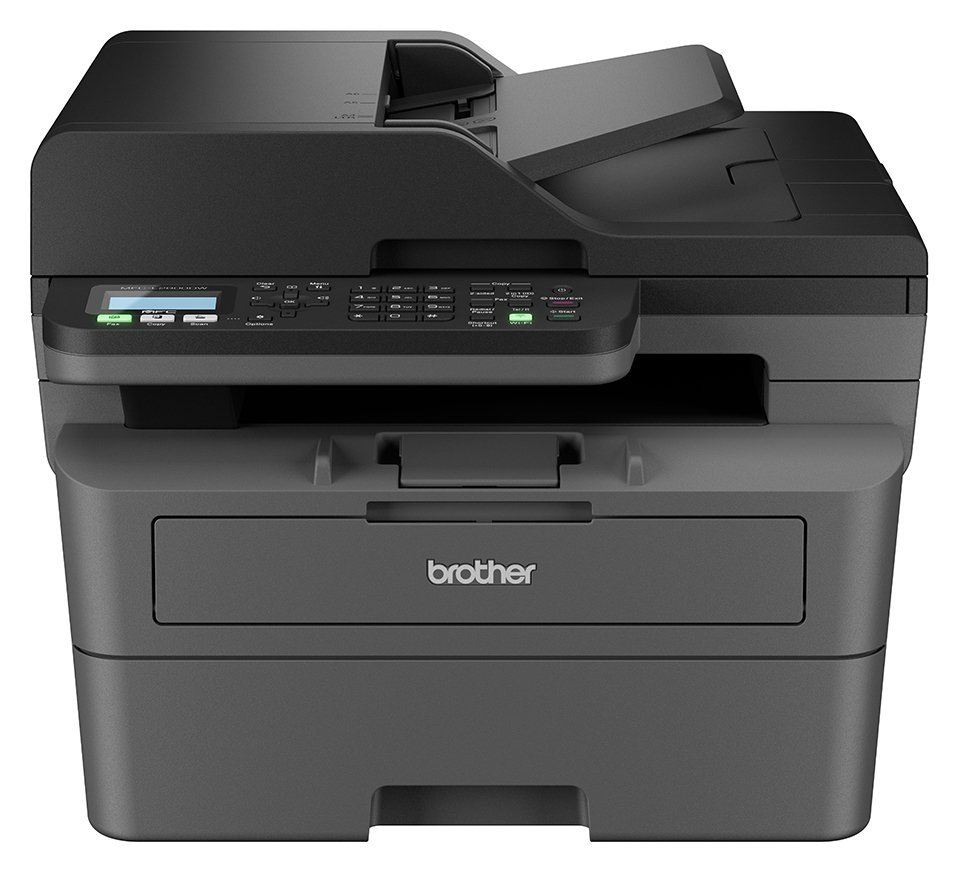
Work smarter from anywhere at home or in the office with the easily connected MFC-L2800DW. Hosting a range of efficiency-boosting features, this all-in-one mono laser printer saves you time with fast flawless printing and quick scan speeds, automatic 2-sided print, fax capability, a generous paper tray capacity and large automatic document feeder. Get set up with ease and download the Brother Mobile Connect App, enabling you to print and scan from virtually anywhere. . Get set up with ease and download the Brother Mobile Connect App, enabling you to print and scan from virtually anywhere. . Printer: Compatible with PC and Mac.; A4 print speed – black text: 32ppm (pages per minute).; Up to 1200 x 1200dpi print resolution.; Fits paper up to A4.; Prints on paper up to 163gsm.; Automatic duplex (double sided) printing.; 250 sheet paper capacity.; Uses 1 ink cartridge.; Recommended ink: TN2510/TN2510XL.; Scanner and copier: 1200 x 1200dpi optical resolution.; Fits paper up to A4.; Flat bed scanner.; Fax: 400 page memory.; Up to 33600kbps transmission speed.; Connectivity: Suitable for office printing.; USB port.; Wireless/WiFi enabled.; Ethernet.; Apple AirPrint – depending on device, please check your manufacturer’s settings.; Google Cloud Print.; Mobile print enables printing directly from your smartphone or tablet through brand specific apps.; Compatible app: Brother Mobile Connect.; General information: Minimum Mac operating system required: Yes.; Minimum Windows operating system required: Yes.; 2cm display.; Weight 11.6kg.; Includes Device, In-Box Toner, Drum, Bel Unit, Waste Toner Unit, Power Supply Cord, Documentation.; Size H31.9, W41, D39.9cm.; Manufacturer’s 1 year guarantee.; EAN: 4977766827331.

Anonymous –
[This review was collected as part of a promotion.] I am really impressed of this printer .I am using it for work and for my kids.The printer is really speedy and the quality is great.I would really recommend this printer
Anonymous –
Great printer. Easy to set up. Software is easy to install and follow
Anonymous –
Purchased from Argos. Arrived promptly and easy to set up. Argos and product highly recommended.
Anonymous –
My previous printer had a USB port to insert a USB, despite the description saying it has a USB port, you actually have to buy a lead to connect from the printer to your laptop and then scan by email. Also no manual, when you go to online to select manual, no manual exists for this model number
Anonymous –
Great printer, copies double sided, really quick print. Only downside it’s quite large. Connected & installed very quickly, even to my phone.
Anonymous –
easy to set up, easy to use, very good printing and scanning and photocopying.
Anonymous –
excellent product – easy to set-up and easy to operate. excellent value too
Anonymous –
Easy to set up I like the toner subscription and good clear print outs
Anonymous –
[This review was collected as part of a promotion.] What a versatile printer. The app connected to the WiFi. Works for our office and at home. It prints from our mobiles and laptops.
10/10
Recommended as so versatile but quiet in operation.
Anonymous –
I bought this product, and it has proven to be a great product. Easy to use and good quality print.