

Description
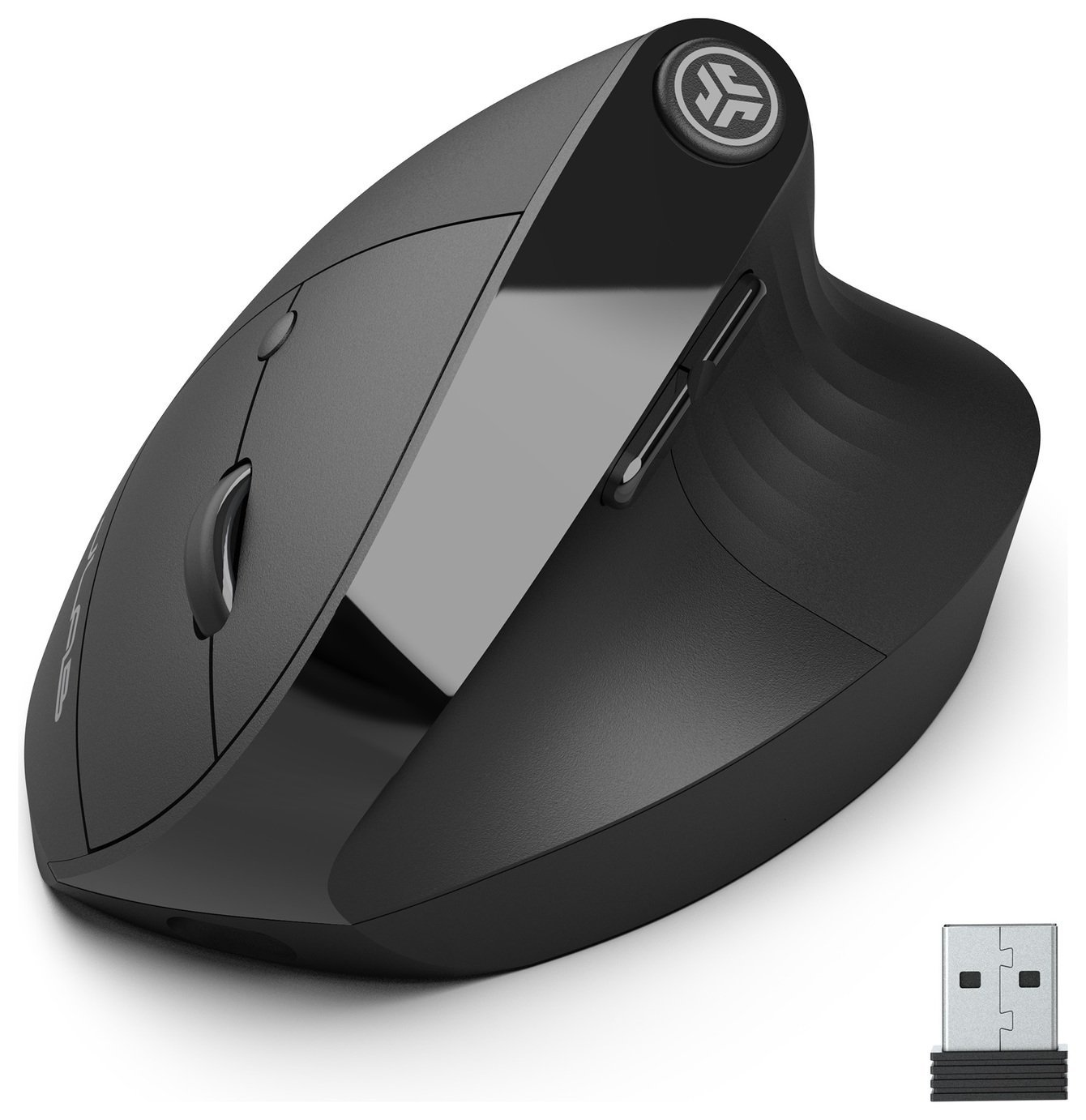
This product is supplied with a charging device.; The required output of a suitable charging device is 2.5W minimum and 5W maximum.; This product does not support PD fast charging (harmonised fast charging).; . Custom User Profiles With our JLab Work App, program specific buttons to fit how you like to use your favourite applications. And why choose? Paste your most used Excel formulas or paste the same text with a simple click of a button. With up to three unique profiles, you can easily switch between. . Flexible Connections The JBuds Wireless Mouse is compatible with three—count ’em, three! —device connection options. You can pair with nearly any type of device using Bluetooth 5.2, or USB. We hate pairing confusion too, so we made it super easy for you to switch between saved devices. . Natural Comfort Designed to mimic the most natural handshake position, the JBuds Ergonomic Mouse rests at a cozy 52-degree angle. This angle helps reduce hand and wrist pain whilst also reducing the risk of repetitive strain injuries. . Quiet Clicks We’re very familiar with the looks you get when clicking gets out of hand. That’s why we design all of our mice with silent buttons! . Compatible with Full Compatibility with Tablets Laptops & PC’s.; Includes USBA Dongle, USBC Charging Cable, Ergonomic Mouse.; Laser.; Optical sensor.; BlueTrack.; Wireless range 5m.; Nano receiver.; 7 buttons.; Programmable buttons.; Scroll wheel.; Battery indicator light.; Approximately 4 months battery life.; Batteries required 1 x rechargeable (included) .; Manufacturer’s 2 year guarantee.; EAN: 810119070845.



Anonymous –
I would recommend, its really easy to set up and works well
Anonymous –
Easy to set up, works well, seems well made and a good price. I assume the batteries last well – I haven’t charged it yet after over 2 weeks used daily. I find it quite sensitive, even on its slowest setting, but that’s probably just compared with my aging and unreliable old one. I have only given it 4 stars because I find the angle too steep to be truly ergonomic, so it still strains the wrist. It’s a shame it is impossible to try out mice in shops before purchase.
Anonymous –
Very happy with this mouse, nice and easy to use and feels good, nice and smooth. Very responsive. Excellent.
Anonymous –
Takes a bit of getting used to, but the mouse is very comfortable for my wrists, and the battery lasts a very long time. Charging it with a USB-C is very handy and convenient as well. Very happy with this!
Anonymous –
Very comfortable to use. This type of mouse is quite large, but they all are if you want ergonomic style. Good quality, works out of the box and would recommend
Anonymous –
One of the most comfortable mice I have used. I like that it can be used on more than one device without resetting it each time.
Anonymous –
Bought to help my arthritic hand, easy to connect to both bluetooth and via the dongle so I can use it on my computer at home and easily on the laptop at work. Comfortable, feels robust. Happy with it.
Anonymous –
Greatly reduces pain from frequent mouse use.
Anonymous –
When my previous mouse needed replacing I came across the JBud Wireless Bluetooth Ergonomic Mouse. I particularly wanted a Bluetooth mouse as it’s one less thing taking up a USB port, however, I wasn’t sure how I would get on with the shape. Good news, I took to it instantly and am pleased with how it works. My understanding is that the extra buttons only work if the USB dongle is plugged in but they were not a required feature. Beware the button on the top which is easy to catch and hides all the open windows – pressing it a second time reverts the windows. This is not an issue.
Anonymous –
A useful tool to reduce wrist and finger RSI from keyboard over use.