

Description
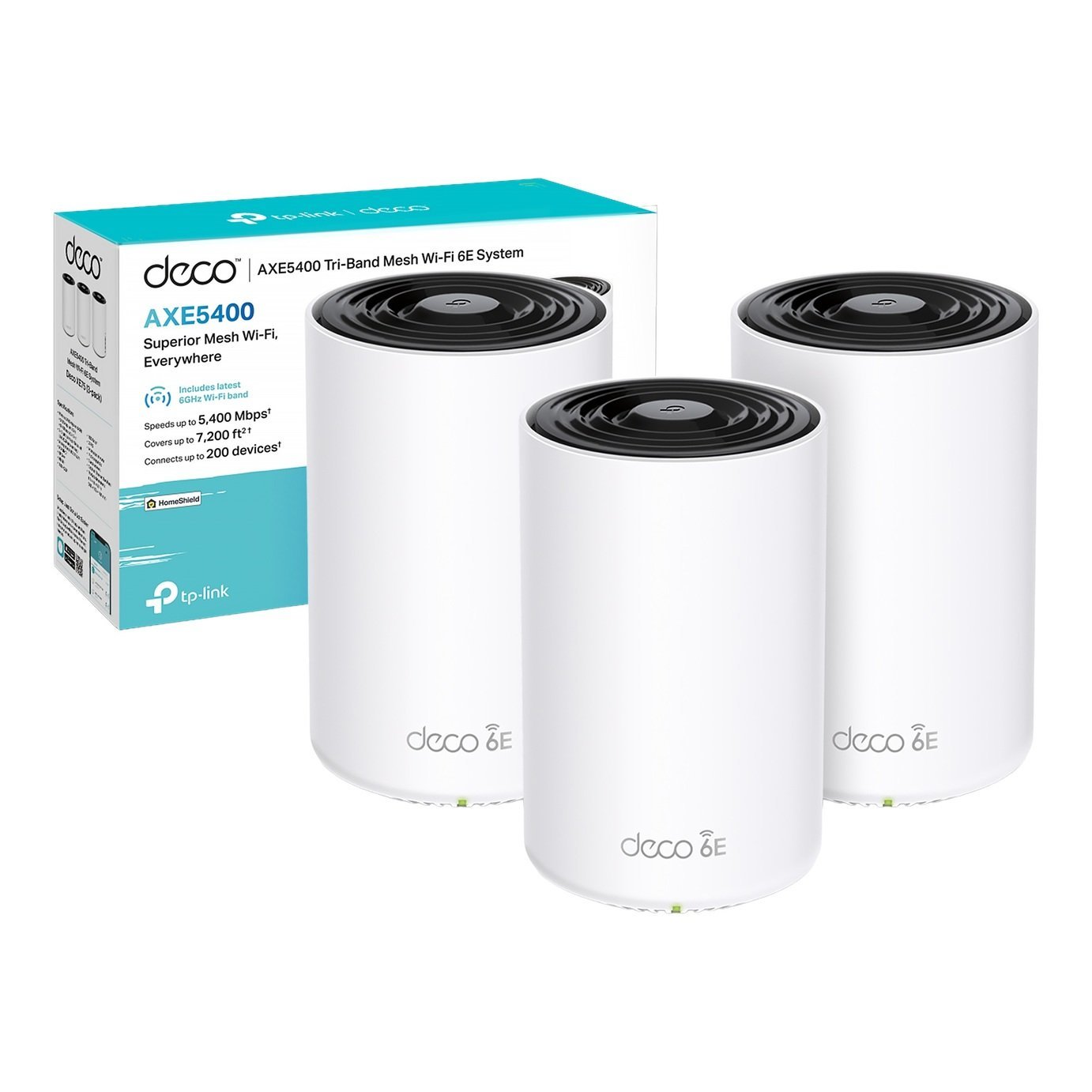
TP-Link Deco XE75(3-pack) AXE5400 Whole Home Mesh Wi-Fi 6E System. All three Wi-Fi bands work together to unleash your network’s total speeds up to 5,400 Mbps for 200 devices. Brand-new 6GHz band – Experience the latest frequency of Wi-Fi, eliminating interference from all legacy devices. TP-Link home shield provides robust parental controls, and real-time security. . Whole Home Wi-Fi 6E – Cover up to 7,200ft with next-gen seamless Wi-Fi and make dead zones and buffering a thing of the past. . Wireless standards 802.11 b/g/n/ax.; Cable connection.; 3 auto-sensing WAN/LAN ports (up to 1 Gbps each).; USB port: no.; Transfer speed up to AX5400Mbps.; Weight 1.56kg.; Size L10.5, W10.5, D16.9cm.; Manufacturer’s 3 year guarantee.; EAN: 4897098681565.

Anonymous –
haved used for 3 weeks now massive improvement to wifi range and speed has eliminated all dead signal pots in house and garden
Anonymous –
Decided to add this to the network after the plethora of boosters and extenders were creating a WIFI clash of titans.
My approach was to set the mesh network up, turn my wifi off on the router, rename the mesh network to that of the router, every device connect.
This worked mostly with only a few special devices I knew I needed to reconfigure to match the subnet of the mesh network ( a rare occurrence for most people, something which is likely only to effect those with advanced networks who can probably fix it).
The app is great for monitoring devices and naming them.
Worth also understanding if your router or your mesh (or both) is going to provide DHCP ( what tells the device its IP) I opt;d for both out of convivence as the devices in the router are isolated anyway.
All in all, most people could set this up via the app on their phone and have success
Anonymous –
Bought when our broadband speed was increased to 250 Mbps and our old mesh system couldn’t utilise it. The deco system was quick to set up and easily spreads the WiFi signal to all corners of the house with virtually no speed loss. Reliable too so far.
Anonymous –
Very happy with the system. Whole house coverage in a large 5 bed house spanning 2 floors with thick walls. No dead zones now.
Anonymous –
I bought this 2 weeks ago to expand my sky broadband coverage. Set up was very. Coverage is excellent and speed is very fast. App is simple to use
Anonymous –
I was reluctant to buy this at first, but glad that I did. Now get great signal and full internet speed (400Mbps) throughout the house. Not sure why, but we did have to disable 6G to get the full speed. One of the units is directly connected to the router via ethernet. Otherwise very easy to setup using the mobile app.
Anonymous –
Great product, easy set up via the app, needed a bit of customer support to have two Deco’s set to be connected by Ethernet at the same time and they were fantastic, quick to reply, helpful info and followed up with an email to make sure everything was ok!
Anonymous –
After months of frustration and being massively disappointed with the top-of-the-range hardware supplied by EE, I shifted to a hardware free contract and installed these XE75s instead. Wow! Like night and day. You can use any one of the three to replace the ISP supplied router, and the others to extend the WiFi as required. You may not even need all 3 as these provide huge coverage and full speed throughout the property. Excellent kit and definitely worth the investment. I wish I had done it sooner!
Anonymous –
I already had an older TP-Link Deco setup but wanted to upgrade to faster speeds and to support all the devices we have in the house. It was super easy to setup using the app – just add the new devices and remove the old ones from the network. Everything is now working well with great connection speed.
Anonymous –
No drop outs and fast, works much better than my last internal wifi. A couple of things that helped, install the Deco app on your phone before disconnecting your old network and setting up the three units – doing this made it so much easier to set up the system. Then, once the new system was setup, I switched off the router wifi as requested, so that it did not interfere with these units – I did that in the BT router admin. I’m impressed with the system. Plus, the signal does not drop out when moving between units.